
Running a successful interior design studio requires more than creative talent. It demands structure, clarity, and repeatable systems. As studios grow, unmanaged tasks, unclear responsibilities, and inconsistent processes often lead to delays, budget overruns, and client dissatisfaction. This is where workflow process mapping becomes essential. A well-defined studio workflow process map helps design businesses visualise operations, reduce inefficiencies, and scale sustainably without sacrificing quality.
What is Workflow Process Mapping?
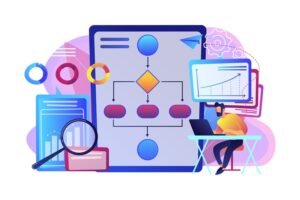
Workflow process mapping is the practice of visually documenting every step involved in delivering a service, from the first client inquiry to project completion. It outlines tasks, decision points, responsibilities, tools, and handovers in a structured flow. The primary purpose of workflow process mapping is to create clarity, consistency, and accountability across the studio. When processes are mapped, teams can easily identify gaps, redundancies, and bottlenecks. This foundation allows studios to build repeatable systems instead of relying on memory or improvisation.
Why It Matters in Interior Design
Interior design projects involve multiple stakeholders, timelines, and dependencies, making process clarity critical. Without a defined workflow process mapping template, even experienced teams struggle.
1. Creates clarity across complex projects: Interior design projects involve multiple phases, stakeholders, and dependencies. Workflow process mapping clearly defines what happens at each stage, reducing confusion and miscommunication within the studio and with external partners.
2. Reduces errors and rework: When processes are mapped, teams know exactly what needs to be done and when. This minimises missed steps, incorrect assumptions, and last-minute changes that often lead to costly revisions.
3. Improves client experience and trust: A structured workflow allows designers to communicate timelines, deliverables, and expectations upfront. Clients feel more confident when they understand the process and see consistent progress throughout the project.
4. Prevents scope creep and delays: Defined workflows include checkpoints and approval stages. These act as control points that keep projects aligned with the original scope, budget, and timeline.
5. Supports team collaboration and accountability: Workflow maps assign ownership to each task, making it clear who is responsible at every stage. This improves accountability and helps teams work together more efficiently.
6. Enables scalability and growth: With documented workflows, studios can onboard new team members or handle more projects without chaos. Standardised processes make growth sustainable rather than overwhelming.
7. Improves profitability and time management: Streamlined workflows reduce wasted time and inefficient effort. Better planning and execution lead to improved margins and healthier business operations.
Core Phases of an Interior Design Workflow
The core phases of an interior design workflow outline the structured journey a project follows from the first client inquiry to final handover. Breaking the process into clear stages helps studios maintain consistency, manage complexity, and deliver projects efficiently. A well-defined workflow ensures every phase builds logically on the previous one, reducing errors and improving overall project outcomes.
Phase 1: Lead & Client Intake
This phase sets the foundation for the entire project and determines whether a lead is the right fit for the studio. It begins with the initial inquiry, followed by lead qualification to assess scope, budget, and timelines.
Once qualified, a consultation is scheduled to discuss the project at a high level and establish mutual expectations. A structured intake process ensures the studio invests time only in aligned and viable projects.
I. Onboarding (Intake of Project/Requirements)
Onboarding formalises the client relationship and transitions the project from sales to execution. This phase includes contract signing, fee confirmation, and collection of essential project information.
Clear onboarding ensures both the client and studio understand responsibilities, timelines, and communication protocols. A strong onboarding process reduces friction and builds trust early in the project.
A. Tools, Communication Templates, & Expectations
During onboarding, standardised tools and templates are introduced to maintain consistency and efficiency. These may include welcome emails, questionnaires, shared folders, and project timelines.
Communication expectations, such as response times, meeting frequency, and approval processes, are clearly defined. Setting these standards upfront prevents misunderstandings later in the project.
B. Discovery & Briefing
Discovery and briefing focus on deeply understanding the client’s needs, lifestyle, and vision. This includes detailed discussions, site visits, measurements, and collection of reference images or inspiration.
The outcome is a comprehensive project brief that outlines functional requirements, aesthetic direction, budget, and constraints. This brief becomes the strategic guide for all design and execution decisions.
II. Processing in Studio
This phase represents the internal workflow where creative and technical work is executed in a structured sequence. Each step builds on the previous one, ensuring design intent is translated accurately into execution-ready outputs.
A clearly mapped studio process prevents rushed decisions and maintains design integrity. Proper sequencing here is critical to project success.
C. Concept, Schematic, Design & Development
This stage transforms the approved brief into visual and spatial solutions. It begins with concept development, followed by schematic layouts and detailed design development.
Client feedback and approvals are integrated through defined revision cycles. This structured progression ensures creative alignment before moving into technical documentation.
D. Tendering/BOQ Documentation & Specifications
Once designs are approved, detailed documentation is prepared for execution and costing. This includes BOQs, material specifications, drawings, and tender packages for contractors or vendors.
Accurate documentation ensures transparent pricing and reduces discrepancies during execution. It also enables better control over budgets and quality.
E. Procurement & Project Management (Site Inspection)
Procurement involves ordering materials, coordinating vendors, and tracking deliveries. Project management runs in parallel, ensuring timelines, budgets, and site activities stay aligned.
Regular site inspections verify that work is executed according to drawings and specifications. This phase ensures smooth coordination between design intent and on-site execution.
F. Installation & Styling
Installation is where the design comes together physically on site. This includes furniture placement, finishes installation, lighting, and final styling elements.
Quality checks are conducted, and any issues are resolved through punch lists. The goal is to deliver a polished, cohesive space that matches the approved design vision.
III. Off-Boarding (Handover Process)
Off-boarding ensures a professional and structured project closure. It transitions the project from execution to completion while reinforcing client satisfaction. A smooth handover strengthens long-term relationships and encourages referrals. This phase is often overlooked but plays a key role in brand perception.
G. Project Close & Follow-Up
Project close includes final inspections, handover documentation, warranties, and maintenance guidelines. Final invoicing and financial closure are completed systematically.
Client feedback is collected to assess both design outcomes and process efficiency. Follow-ups help maintain relationships and open opportunities for future projects or referrals.
Phase 2: Discovery & Briefing
This phase focuses on deep, structured information gathering to fully understand the client’s needs and expectations. It includes detailed discussions around functionality, lifestyle, budget, timelines, and aesthetic preferences.
Site measurements, photographs, and vision boards are created to translate abstract ideas into clear direction. The key output of this phase is a comprehensive project brief that becomes the reference point for all future design and execution decisions.
Phase 3: Concept Development & Design
Concept development transforms insights from discovery into visual and spatial solutions. This stage includes concept boards, preliminary sketches, and space planning layouts. Client approvals are sought through structured presentations, followed by iterative revisions where required. A mapped workflow ensures feedback loops are clearly defined and time-bound. For an ArchDesign studio, this structured approach balances creativity with efficiency.
Phase 4: Documentation & Specifications
Documentation converts approved concepts into executable instructions. This phase includes construction drawings, material specifications, and detailed schedules. Accurate documentation ensures contractors and suppliers understand design intent without ambiguity.
Coordination across teams reduces errors during execution and procurement. A strong workflow process map ensures documentation milestones are never rushed or skipped.
Phase 5: Procurement & Project Management
Procurement and project management ensure designs are delivered on time and within budget. This phase includes ordering materials, tracking deliveries, and managing vendor coordination. Budget tracking and approval checkpoints prevent cost overruns.
Timeline mapping ensures tasks align with site readiness and dependencies. With clear workflows, studios maintain control even across complex projects.
Phase 6: Installation & Styling
Installation brings the design vision to life on site. This phase involves on-site coordination, quality checks, and final styling. Designers ensure finishes, furniture, and accessories align with approved specifications.
Punch lists are created and resolved before final handover. A mapped workflow reduces last-minute chaos and ensures a smooth client reveal.
Phase 7: Project Close & Follow-Up
Project close formalises completion and strengthens long-term client relationships. This stage includes final handover documentation, warranties, and maintenance guidelines. Final invoicing and closure of accounts are completed systematically.
Feedback is collected to evaluate both design and process performance. For an ArchDesign business, this phase supports referrals, testimonials, and repeat work.
How to Build Your Workflow Map (Step-by-Step)
Building a workflow map helps translate your studio’s day-to-day operations into a clear, repeatable system. By breaking the process down step by step, you can identify gaps, remove inefficiencies, and create a workflow that supports both creativity and execution.
a. Gather Your Inputs
Building a workflow starts with listing every phase and task from inquiry to project close. This includes creative, administrative, and operational activities. Identifying stakeholders, such as designers, assistants, vendors, and contractors, clarifies ownership. This step ensures nothing is overlooked when mapping processes. Accurate inputs lead to practical and usable workflows.
b. Choose a Mapping Tool/Format
Selecting the right format makes workflow maps easy to understand and maintain. Common options include flowcharts, digital whiteboards, and process mapping software like Miro, Lucidchart, or Notion.
Many studios begin with free workflow process mapping tools before upgrading. According to workflow design principles, simplicity and visibility matter more than complexity. The tool should support collaboration and updates.
c. Visual Mapping
Visual mapping turns tasks into a structured flow. High-level swimlanes can separate responsibilities between client, studio, and contractors. Decision points, such as approvals or revisions, are clearly marked.
Feedback loops ensure accountability at every stage. A visual studio workflow process map reduces confusion across teams.
d. Validate & Refine
Once mapped, workflows should be tested against real projects. Running scenarios reveals missing steps or unclear transitions. Feedback from team members improves clarity and usability. Client-facing steps can also be refined for better communication. Workflow maps should evolve with the business.
Tools & Templates That Help in Workflow Process Mapping
Using the right tools and templates makes it easier to implement and maintain an efficient workflow. Instead of managing tasks and information across multiple disconnected systems, these tools centralise processes and improve visibility.
When aligned with your workflow map, they reduce manual effort, minimise errors, and support smoother collaboration across projects.
A. Project Management
Project management tools help organise tasks, timelines, and responsibilities across all phases of a project. Platforms like Trello and Asana allow teams to track progress through boards, lists, and deadlines, while Notion offers more flexible, all-in-one workspaces.
These tools make dependencies and priorities visible, ensuring nothing falls through the cracks. When used consistently, they become the backbone of day-to-day studio operations.
B. CRM & Communication
CRM and communication tools manage client interactions from inquiry to project close. Dubsado and HoneyBook centralise emails, forms, proposals, and client data in one place.
This ensures consistent communication and faster response times throughout the project lifecycle. Clear communication workflows also improve the client experience and reduce misunderstandings.
C. Proposal & Contract: Bonsai, Better Proposals
Proposal and contract tools streamline the sales and onboarding process. Platforms like Bonsai and Better Proposals allow studios to create professional, standardised documents quickly.
Automated approvals, e-signatures, and payment schedules reduce delays and administrative effort. This ensures projects start with clear terms and aligned expectations.
D. Procurement & Budget Tracking
For procurement and budgets, spreadsheets or specialised apps integrate seamlessly into workflow process mapping tools. Spreadsheets are often used for flexibility, while specialised apps offer real-time tracking and reporting.
These tools monitor costs, orders, and payments against the approved budget. Accurate tracking prevents overruns and supports informed decision-making during execution.
Best Practices for Interior Design Workflow Efficiency
Improving workflow efficiency is essential for delivering projects smoothly while protecting time, margins, and creative energy. Best practices focus on creating consistency, clarity, and control across every stage of the design process.
When workflows are optimised, teams work more confidently, clients feel informed, and projects move forward with fewer disruptions. The following practices help studios operate more efficiently without compromising design quality.
a. Standardise Repeated Tasks
Repeated tasks such as welcome emails, client questionnaires, and proposal documents should be standardised across the studio. Using templates ensures consistency in communication and reduces the time spent recreating documents for every project.
Standardisation also minimises errors and omissions, especially during onboarding and approvals. This allows the team to focus more on strategic and creative work rather than administrative tasks.
b. Clarify Roles & Responsibilities
Clear role definition ensures every task in the workflow has a designated owner. Whether it is the designer, assistant, admin, or contractor, everyone should know what they are responsible for and when.
This clarity reduces delays caused by assumptions or duplicated effort. Defined responsibilities also improve accountability and team coordination throughout the project.
c. Integrate Checkpoints
Checkpoints act as control points that keep projects aligned with scope, timeline, and budget. Scheduled design reviews, procurement approvals, and delivery confirmations prevent issues from escalating unnoticed.
These checkpoints provide opportunities to identify risks early and make informed decisions. They also create natural moments for structured client communication and approvals.
d. Communicate Expectations Clearly
Transparent communication at every stage of the workflow significantly reduces rework and misunderstandings. Clients should clearly understand what deliverables to expect, when approvals are needed, and how changes are handled.
Internally, teams benefit from knowing timelines and dependencies upfront. Clear expectations are a key factor in running an interior design business more efficiently and sustainably.
e. Continuous Improvement
Workflow efficiency improves when studios regularly review completed projects. After project close, teams should reflect on what worked well and where challenges occurred.
These insights help refine processes, templates, and timelines for future projects. Continuous improvement ensures workflows remain relevant as the business evolves.
Examples: Interior Design Workflow Maps
Interior design workflow maps can be structured in different ways depending on how a studio operates and where it places the most emphasis: client interaction, creative development, or execution control.
These examples illustrate three common workflow approaches that studios can adapt based on their services, team size, and project complexity. Each template highlights a different priority while maintaining clarity, accountability, and efficiency throughout the project lifecycle.
Template A: Consultation-First Map
This workflow is ideal for studios that prioritise early alignment and paid consultations before committing to full-scope projects. It ensures that both the client and studio are clear on expectations, feasibility, and budget before design work begins.
By front-loading clarity, this map reduces wasted time and improves conversion quality. It works especially well for studios handling high inquiry volumes.
-
- Inquiry received → Lead qualification
- Paid consultation scheduled and conducted
- Proposal and scope definition
- Client onboarding and discovery
- Design, execution, and project close
Template B: Design-Centric Map
The design-centric workflow places creative development at the core of the process. It is best suited for studios where conceptual strength and design detail drive the project value.
This approach allows for deeper exploration during the design phases before moving into technical and execution stages. Clear approval gates prevent scope creep while preserving creative integrity.
-
- Client onboarding and discovery
- Concept development and schematic design
- Design development and client approvals
- Documentation and specifications
- Procurement, installation, and handover
Template C: Project Management Focused Map
This workflow is designed for studios managing complex projects with multiple vendors, tight timelines, and extensive on-site coordination. It emphasises structure, checkpoints, and execution control from the outset.
Design and procurement run in alignment with strong project management oversight. This map is ideal for turnkey or execution-heavy projects.
-
- Lead intake and onboarding
- Planning, timelines, and budget setup
- Design development and documentation
- Procurement and site execution
- Installation, quality checks, and project close
These templates can be adapted into a workflow process mapping template based on studio priorities.
Common Mistakes & How to Avoid Them
Even well-established studios can face operational challenges when workflows are not clearly defined or consistently followed. These common pitfalls often lead to miscommunication, delays, and reduced profitability. Understanding where workflows typically break down helps studios proactively fix issues before they impact projects or client relationships.
a. Skipping discovery briefing
When the discovery and briefing phase is rushed or skipped, projects begin without a shared understanding of goals, budget, and scope. This often results in frequent changes, mismatched expectations, and client frustration.
To avoid this, studios should formalise discovery through questionnaires, site visits, and documented briefs. A clear project brief serves as a single source of truth throughout the project.
b. No checkpoints
Without defined checkpoints, projects can gradually expand beyond the original agreement. Design revisions, added requirements, and timeline extensions become difficult to control.
Introducing approval milestones at key stages helps manage changes and protects both time and revenue. Checkpoints ensure decisions are intentional rather than reactive.
c. Poor procurement tracking
Inadequate tracking of orders and deliveries can derail even the best design plans. Missing items, delayed shipments, or incorrect orders lead to site delays and unexpected costs.
Using structured procurement logs and regular status reviews keeps spending and timelines under control. Clear tracking also improves coordination with vendors and contractors.
d. Missing feedback loops
When feedback opportunities are not built into the workflow, clients may feel unheard or surprised by outcomes. This can lead to last-minute objections or dissatisfaction at delivery.
Scheduled review meetings and approval stages encourage open communication. Feedback loops help align expectations and strengthen client trust.
e. Process map without updates
A workflow map that is never reviewed quickly becomes outdated. Changes in team structure, tools, or project types can render old processes ineffective.
Regularly reviewing and updating workflows ensures they stay relevant and efficient. Continuous improvement keeps the studio agile and prepared for growth.
How Workflow Process Mapping Improves Business Outcomes
Workflow mapping does more than organise tasks. It directly impacts the overall health and growth of an interior design business. By creating clear, repeatable systems, studios can operate with greater confidence, control, and efficiency.
Well-mapped workflows align teams, improve decision-making, and support long-term sustainability. The business benefits extend beyond operations into client satisfaction and profitability.
a. Scalability: Standardised Processes Make Onboarding Easier
Standardised workflows make it easier to onboard new team members without disrupting ongoing projects. When processes are clearly documented, new hires can quickly understand their roles, responsibilities, and handover points.
This reduces reliance on informal training and constant supervision. As a result, the studio can take on more projects and grow without increasing chaos or burnout.
b. Consistency & Quality: Fewer Mistakes, Better Client Experiences
Mapped workflows ensure that every project follows the same structured path, regardless of size or complexity. This consistency reduces errors, missed steps, and last-minute fixes.
Clients experience a smoother journey with predictable communication and deliverables at each stage. Over time, consistent execution strengthens the studio’s reputation for quality and professionalism.
c. Predictability: Clear Timelines, Deliverables, and Costs
Workflow process mapping clarifies how long each phase should take and what outputs are expected. Defined checkpoints and approvals improve timeline accuracy and reduce uncertainty.
Clear processes also make it easier to estimate costs and manage budgets. This predictability builds client trust and simplifies internal planning.
d. Profitability: Better Time and Resource Allocation → Higher Margins
Efficient workflows reduce wasted time, duplicated effort, and unplanned work. Teams can allocate resources more strategically, focusing energy where it adds the most value.
Better planning leads to fewer overruns and improved control over expenses. Over time, this efficiency directly translates into higher margins and healthier business growth.
Conclusion
Workflow process mapping is not about restricting creativity. It’s about supporting it with structure. When studios invest time in mapping processes, they gain clarity, control, and confidence. Whether you’re creating your first how to map process workflow or refining an existing system, the impact is transformative.
Comment “WORKFLOW” if you’d like access to a free workflow process mapping template, or book a call with our ArchScale Guild team to streamline your studio operations today.

Shanker De is an ArchDesign Business Coach, entrepreneur, and Founder of ArchScale Guild. With 25+ years of experience across 330+ businesses in 15 countries, he helps the founders, principals and studio owners of growing ArchDesign firms, especially in Tier 2 & Tier 3 cities, turning inconsistent leads, silent sales and fluctuating revenue into predictable 2x–5x growth.
Using his proven ArchScale Business Growth Model (BGM), Shanker supports every ArchDesignpreneur in building a scalable ArchDesign business without founder burnout, underpricing, or constant overwhelm.
